Kubernetes Cluster Overview
Kubernetes Cluster Overview for Stack Console
The Kubernetes Cluster Overview page provides a detailed summary and management options for your Kubernetes cluster. It includes key details like cluster configuration, resource specifications, usage metrics, and quick actions to manage the cluster effectively.
Action Buttons
- Action Buttons provide shortcuts for essential Kubernetes management tasks.
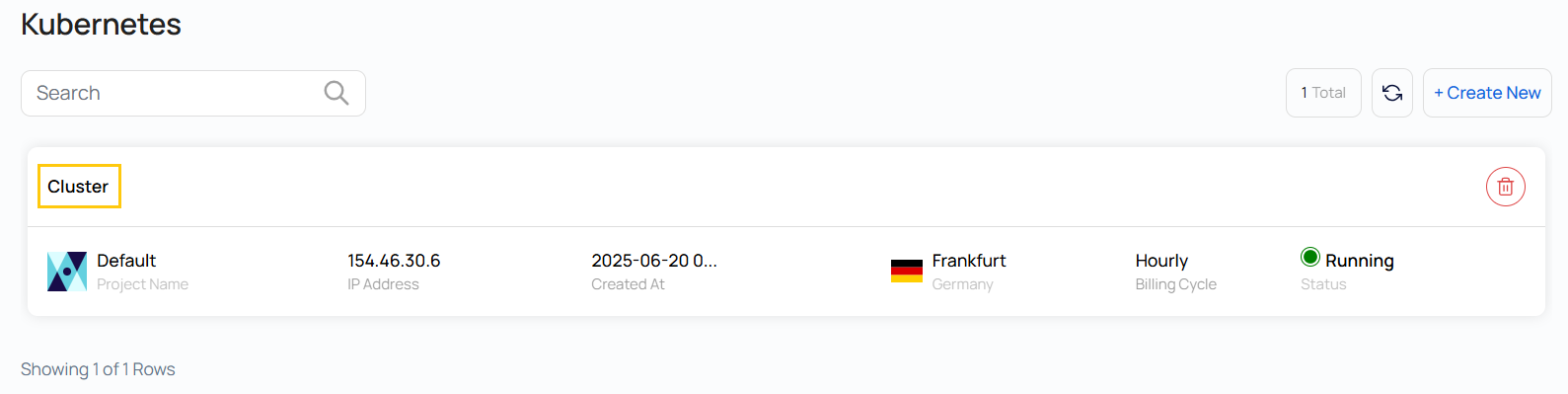
- To view Action buttons, click on the cluster, which will redirect you to the Kubernetes Cluster page.
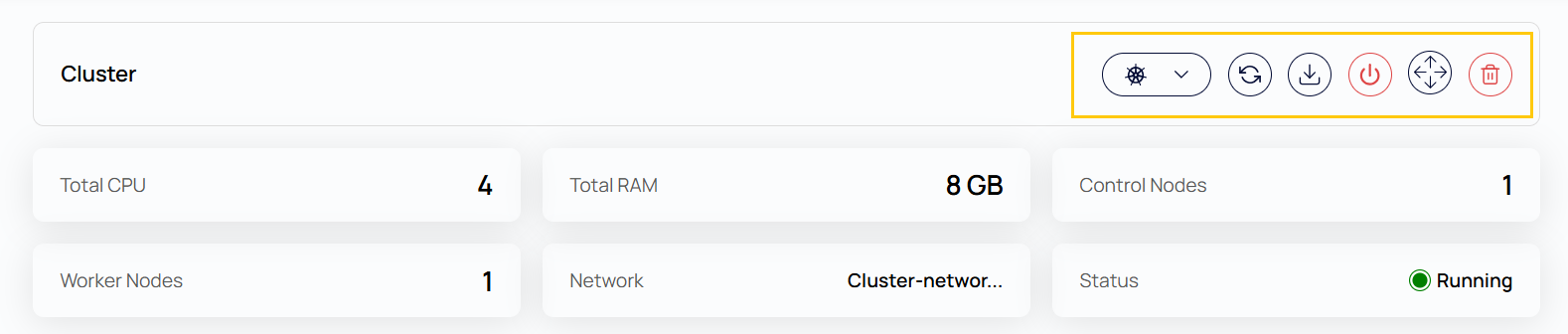
- Upgrade Kubernetes Version: Update the cluster to a newer Kubernetes release for improved features, bug fixes, and security patches.
- Refresh: Reloads the latest cluster data, including current status and resource metrics.
- Download Config: Downloads the
kubeconfigfile that allows you to interact with the cluster using CLI tools likekubectl. - Power Off: Gracefully shuts down the entire Kubernetes cluster.
- Delete: Permanently deletes the cluster and all associated resources.
Cluster Overview
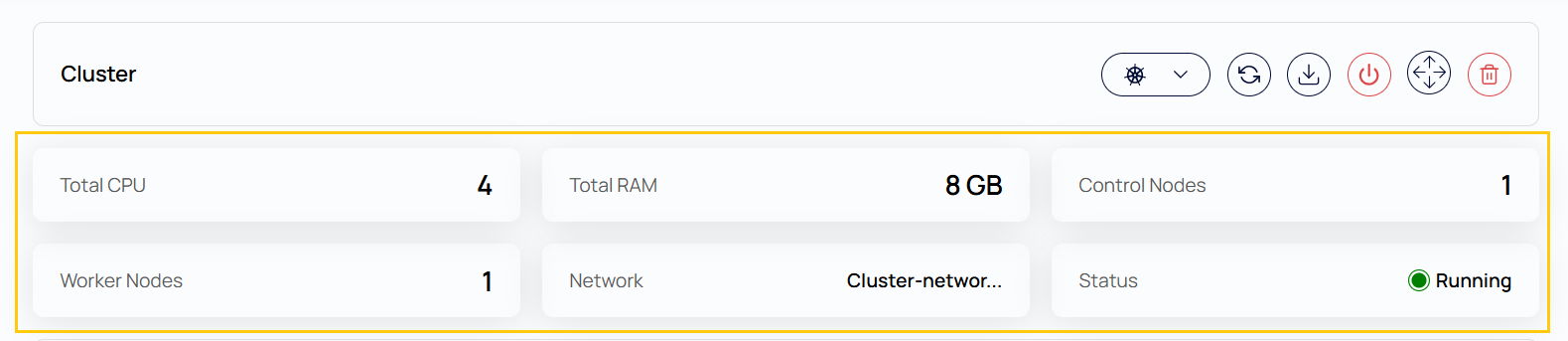
- Total CPU: Total number of virtual CPUs (vCPUs) provisioned across all nodes in the cluster.
- Total RAM: The total amount of memory (in GB) allocated to the cluster.
- Control Nodes: Nodes responsible for managing the cluster state and coordinating worker nodes.
- Worker Nodes: Nodes that run the containerized workloads and applications.
- Network: The virtual network in which the cluster is deployed.
- Status: The current state of the cluster (e.g., Running, Stopped).
Cluster Information
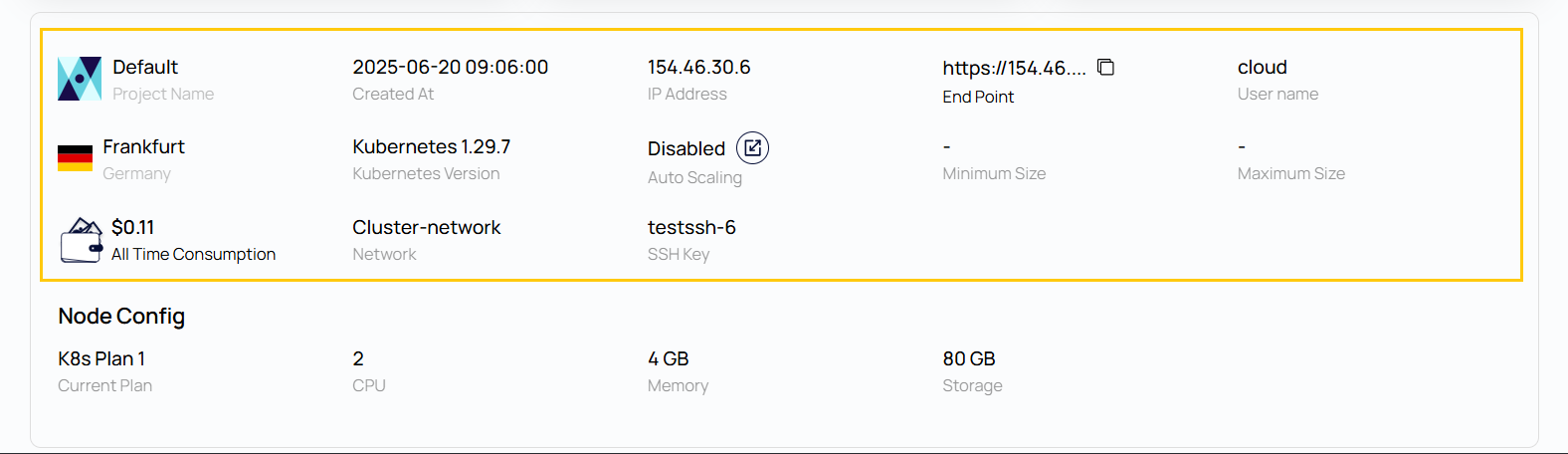
- Project Name: The name of the user-defined project under which the cluster was created.
- Created At: Timestamp showing when the cluster was created.
- IP Address: The public IP address assigned to the cluster.
- End Point: The API server endpoint for accessing the cluster.
- Cloud: The cloud region or provider where the cluster is hosted.
- Username: The default username for accessing cluster resources.
- Location: The geographic location of the data center (e.g., Frankfurt, Germany).
- Kubernetes Version: The current version of Kubernetes running in the cluster.
- Auto Scaling: If enabled, the cluster can automatically adjust the number of nodes based on workload demands.
- Minimum Size / Maximum Size: Defines the minimum and maximum number of nodes the auto-scaler can scale to (if enabled).
- All Time Consumption: Total cost of running the cluster since creation.
- Network: The name of the network in which the cluster is operating.
- SSH Key: The SSH key used to securely access the nodes in the cluster.
Node Config
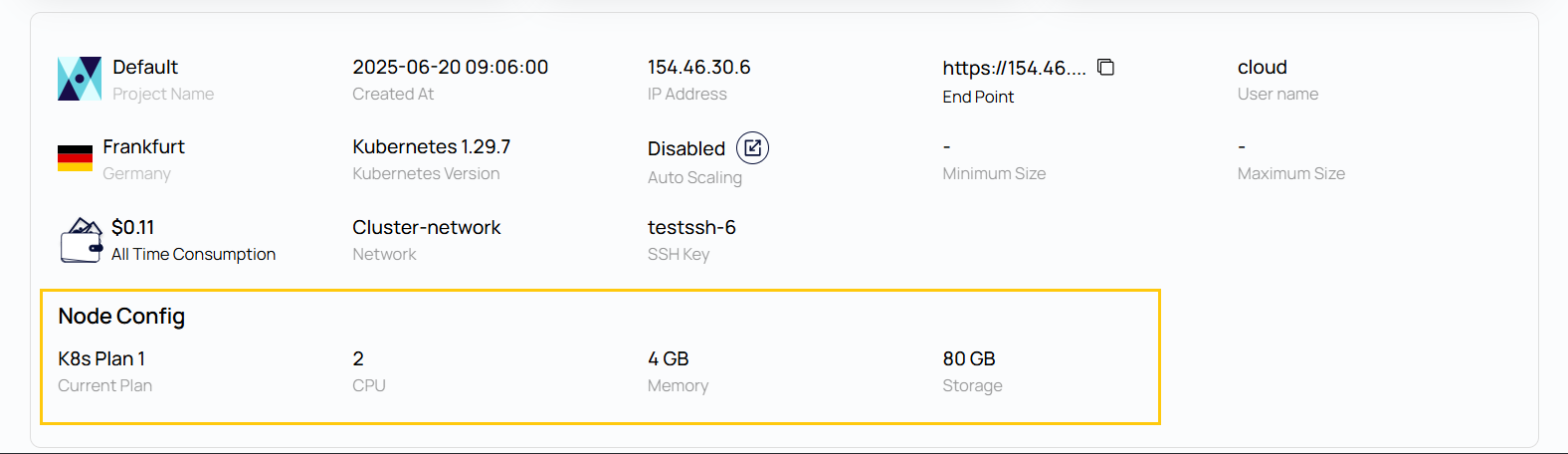
- Current Plan: The selected infrastructure plan defining the resource limits for each node (e.g., K8s Plan 1).
- CPU: Number of vCPUs allocated per node.
- Memory: Amount of RAM assigned per node.
- Storage: Disk storage capacity available to each node.
Check the Kubernetes service
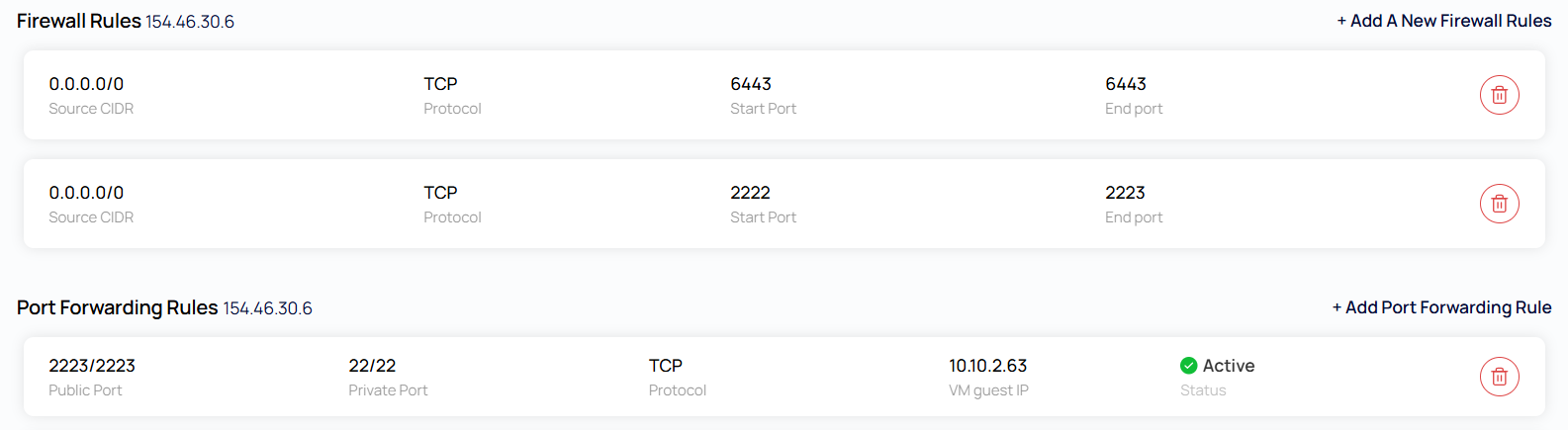
The services will be running on port. Open the same port in the firewall on the portal & also created a port forwarding rule for the same from the portal as shown in the screenshot below.
Conclusion
The Kubernetes Cluster Overview page gives a centralized view of your cluster’s health, configuration, and resource usage. Action buttons simplify cluster maintenance, and detailed specs help with monitoring and planning.